sujin-noti: Time Notificator
A small Python script that plays a sound at :00 and :50 every hour so I never lose track of time
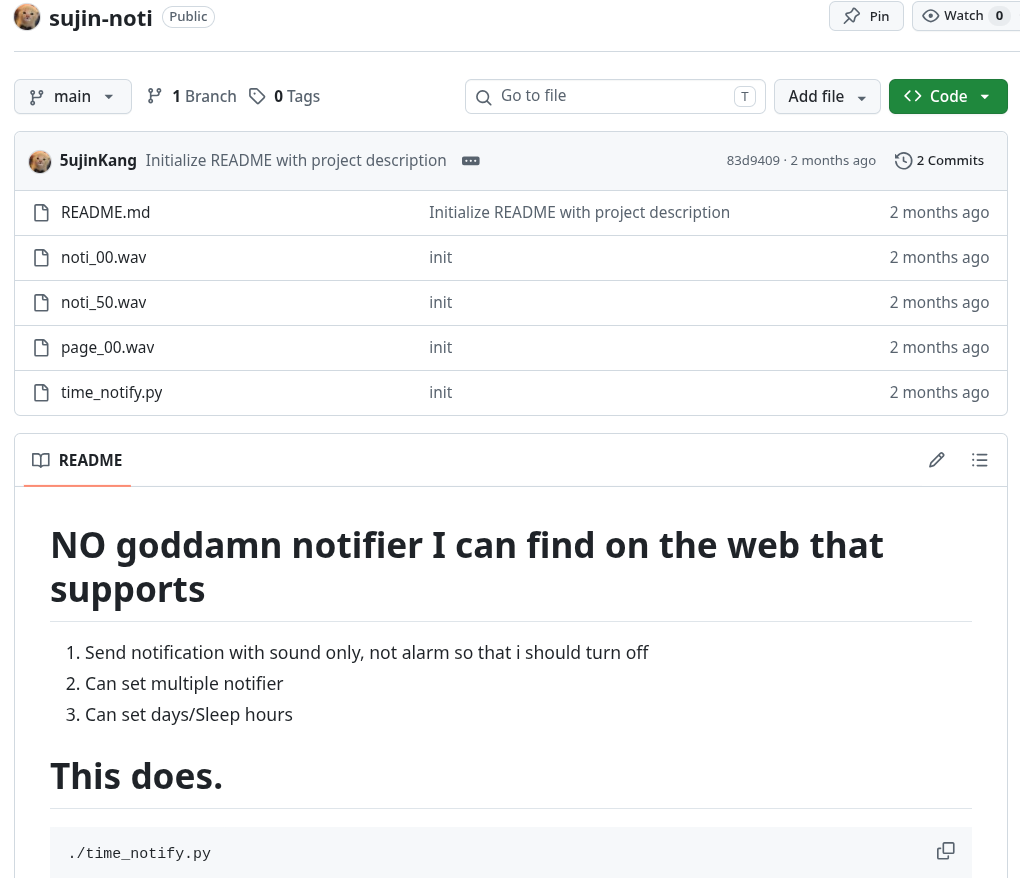
GitHub: 5ujinKang/sujin-noti
A tiny personal utility that plays a notification sound at :00 and :50 of every hour — so I always know when an hour has passed and when 10 minutes are left.
Why
When I’m deep in work or studying, I lose track of time easily. Instead of constantly checking the clock, I wanted something that would quietly remind me of the time without interrupting my flow. So I built this.
How It Works
The script runs a polling loop that wakes up every second and checks the current time. When the minute hits :00 or :50, it plays the corresponding .wav file via paplay.
:00— playspage_00.wav(top of the hour):50— playsnoti_50.wav(10 minutes warning)
A last_played_minute guard prevents the sound from triggering more than once per minute even though the loop runs every second.
while True:
    now = datetime.now()
    if now.weekday() in ACTIVE_DAYS and START_HOUR <= now.hour <= END_HOUR:
        if now.minute == 0 and last_played_minute != 0:
            os.system(f"paplay {SOUND_00} >/dev/null 2>&1")
            last_played_minute = 0
        elif now.minute == 50 and last_played_minute != 50:
            os.system(f"paplay {SOUND_50} >/dev/null 2>&1")
            last_played_minute = 50
    else:
        last_played_minute = None
    time.sleep(1)
Configuration
Everything is set at the top of the file:
| Variable | Default | Description |
|---|---|---|
ACTIVE_DAYS |
Mon–Sat | Days the notifier is active |
START_HOUR |
0 | Start of active window (24h) |
END_HOUR |
24 | End of active window (24h) |
Outside active days/hours, the loop keeps running but skips playback and resets the guard — so it picks back up correctly when the next active window starts.